






















































Client conversations that belong to the business
Agencies, studios and consultancies run on conversations with their clients. Most of those conversations happen on general tools: WhatsApp groups, email threads and team members’ own phones. Messages get missed, files are hard to find, and the business owner cannot see what was agreed.
There is a bigger risk too. When clients and employees talk directly, some deals move outside the business. Crocco wanted a platform built for business communication, where every conversation stays inside the company and the owner stays in control.
CADLETE designed and developed Crocco as a SaaS product for web and mobile: the client, project and team screens, a structured chat room for every project, and the controls that make it different from a messaging app.
The goal
A structured, secure client communication platform that agencies can sign up for and run on, with the business owner in control of every conversation.
Four things a client communication platform has to get right
Teams already have chat apps. A business tool only wins if it does what those apps cannot, without being harder to use.
Control without friction
The owner needed full visibility and control, while clients and employees still chat as easily as they would on a messaging app.
Privacy by design
Clients and employees had to talk without seeing each other’s identity, with only the owner seeing everything.
Order in every conversation
Messages, files and project links had to stay with the right client and project, not lost in one long thread.
Ready to sell
As a SaaS product, Crocco needed sign-up, workspaces, client invitations and plan limits from day one, not just a working chat.
How the Crocco platform was built
Four stages, from product strategy to a live SaaS product, shown with real Crocco screens. Names in the demo data are blurred.
Stage 01 · Product strategy and UX
Designing around the owner’s control
We started with how an agency actually works: an owner, a team, many clients and many projects running at once. The product is organized around those four things, with roles that decide who sees what.
Every feature was then checked against one question: does it keep the conversation inside the business?
- Product strategy
- UI/UX design
- Roles and permissions
Stage 02 · Web app
Project rooms that keep every message in one place
The web app gives every client and project its own chat room. Project links such as design files and documents sit at the top of the room, and messages can be replied to, shared, starred, pinned and annotated.
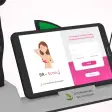
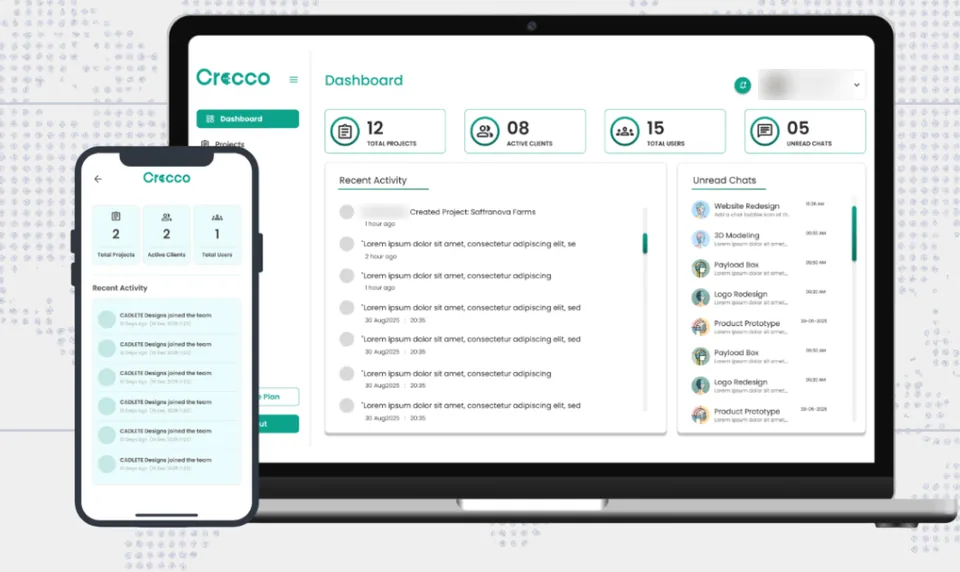
Teams sign in with their phone number, and the dashboard shows projects, active clients, team members and unread chats at a glance.
- Web app
- Project chat rooms
- Dashboard
- Phone-number sign-in
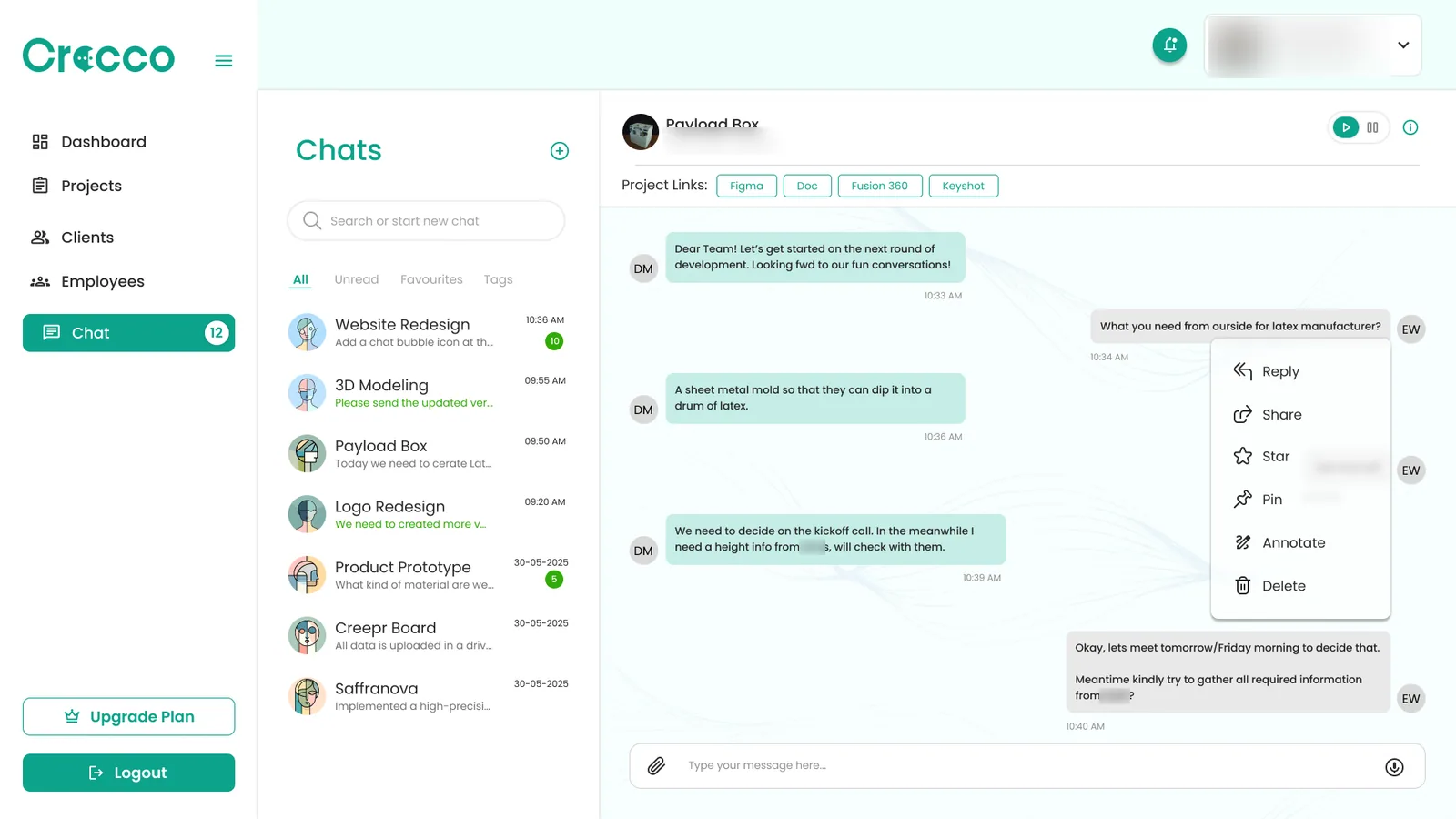
A project room with its pinned links. 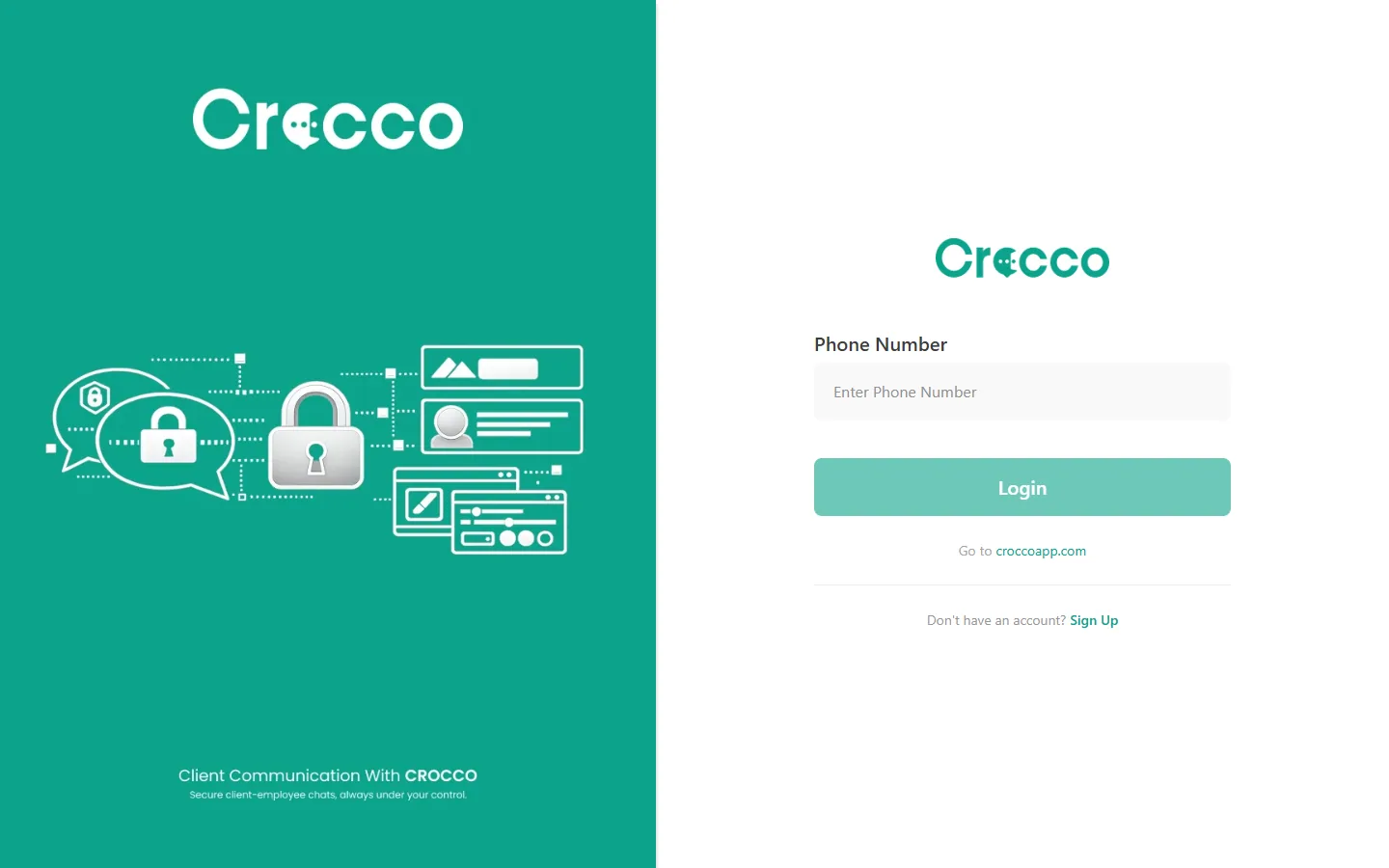
Sign-in by phone number. Stage 03 · Control features
Anonymous chat, no bypass, pause and resume
Clients and employees chat without seeing each other’s identity, and only the business owner has full visibility. Because all communication runs through controlled rooms, nobody can take the conversation outside the business.
The owner can pause a conversation at any time. Messages can still be sent, but they are not delivered until the chat is resumed, so no important discussion happens without the owner knowing. AI-powered assistance helps draft replies and manage conversations.
- Anonymous chat
- No client bypass
- Pause and resume
- AI chat assistance
Stage 04 · Mobile, plans and launch
On web and mobile, ready to sell
Crocco runs on the web and on mobile, so a conversation started at the desk can continue on the phone.
As a SaaS product it launched with workspaces, team seats, client invitations and plan limits: a free Starter plan to begin with, then Pro and Business plans as a company grows. Getting started takes three steps: set up the workspace and team, invite clients, then manage and scale.
- Mobile app
- Backend and API
- Subscription plans
Where Crocco stands today
Crocco is live as a SaaS product with self-serve sign-up and a free plan, used by agencies and service businesses to run their client communication.
What we delivered
- Client communication SaaS platform for web and mobile
- Client, project and team management in one workspace
- A chat room for every client and project, with pinned project links
- No client bypass: all communication stays inside controlled rooms
- Anonymous chat with full visibility for the business owner
- Pause and resume chat, plus AI-powered reply assistance
- Phone-number sign-in, workspaces, client invitations and subscription plans
Questions about this project
What is a client communication platform?
A client communication platform is a business tool where a company talks to its clients, keeps project conversations and files organized, and controls who can see what. Crocco is one: it puts clients, projects and team conversations in one structured space, with the business owner in control.
How is Crocco different from WhatsApp or email?
General chat tools are built for people, not businesses. Crocco keeps conversations structured by client and project, prevents missed messages, stops clients and employees dealing directly, and gives the business owner full visibility.
What is the anonymous chat feature?
Clients and employees can communicate without seeing each other’s identity. Only the business owner has full visibility, which keeps interactions professional and stops contacts from leaving the business.
How does pause and resume chat work?
The owner can pause a conversation whenever needed. Messages can still be sent, but they are not delivered until the chat is resumed, so no important discussion happens without the owner knowing.
Can CADLETE build a custom CRM or SaaS product for my business?
Yes. CADLETE designs and develops web apps, dashboards, mobile apps and the backend behind them. Crocco is one example: a SaaS product taken from product strategy and UI/UX design to a live platform with sign-up and subscription plans.
How much does custom CRM or SaaS development cost?
It depends on the features, the number of platforms and the integrations you need. We quote after a short call about your product, and we often suggest launching a focused first version, then adding features once real users are on it.